Frequently asked questions
Everything shop owners ask us before they start. Can’t find your answer? Ask us.
All questions
What is the best billing software for a clothing shop in India?
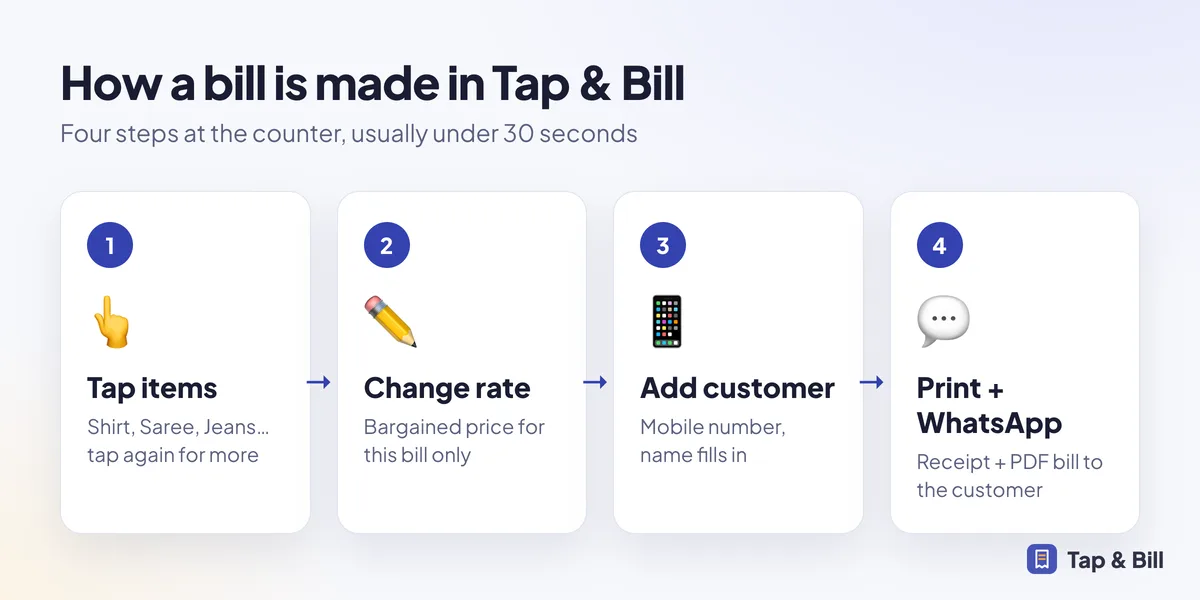
The best billing software for a clothing shop is one your staff can use at a busy counter without training: tap the item (Shirt, Saree, Jeans), change the rate if you bargained, add the customer mobile number and print. Tap & Bill is built only for clothing and garment shops, works on an Android phone and on a computer, prints on thermal printers, sends the bill on WhatsApp and costs from ₹499 per month.
Do I need to add every item and stock in Tap & Bill?
No. Tap & Bill bills by category (T-Shirt, Shirt, Kurta, Saree…) with a default price you can change on every bill. There is no stock or barcode setup, so most shops start billing on the first day.
Can I send the bill to the customer on WhatsApp?
Yes. After you save a bill, Tap & Bill opens WhatsApp with the bill summary and a PDF link for the customer’s number. Shops that connect the WhatsApp Business API can send the PDF bill automatically.
Which printer works with Tap & Bill?
58 mm (2 inch) and 80 mm (3 inch) thermal receipt printers. From a computer you can print on any printer installed in Windows or Mac. Tell us your printer model when you book a demo and we confirm it before you pay.
Does Tap & Bill make GST bills?
Yes, if your shop has a GSTIN. Turn on “GST tax invoice” and every bill shows your GSTIN, HSN code per category and the CGST and SGST split. Shops without GST keep a simple bill.
Does it work without internet?
Yes. The Android app keeps making and printing bills when the internet is down and uploads them when the connection comes back.
How much does Tap & Bill cost?
Plans are ₹499, ₹999 and ₹1,999 per month. Every shop starts with a 14-day free trial with all features and no card.
Is the app available in Hindi and Gujarati?
Yes. Each phone can use the app in English, Hindi or Gujarati, and the shop can print bills in English, Hindi or Gujarati.
How do I pay after the trial?
Pay monthly by UPI or bank transfer. We activate your plan the same day. Online card and autopay payments are coming soon.
Are prices inclusive of GST?
No. Plan prices are per shop per month; GST is added where applicable.
Can I change plans later?
Yes. Move up or down any month. Your bills, customers and reports stay as they are.
What happens if I don’t renew?
After a short grace period the shop becomes read-only: you can still log in and see old bills and reports, but cannot make new bills until you renew. Your data is not deleted.
Is there a setup fee or per-bill charge?
No setup fee and no per-bill charge. The only extra cost is Meta’s per-message fee if you use the WhatsApp Business API for automatic messages or bulk offers.
Is my shop’s data safe?
Each shop’s data is kept separate and is only visible to that shop’s logins. Bills are stored on our servers, not only on the phone, so a lost or broken phone does not lose your bills.
Can I use Tap & Bill on more than one phone?
Yes. The owner and each staff member log in on their own phone, and all bills go into one shop account.
Is there an iPhone app?
Not yet. Tap & Bill runs on Android phones and tablets, and on any computer browser, which also works on iPads and Macs.
Can staff delete bills?
No one can delete a bill. Staff can cancel only their own bill within 15 minutes; the owner can cancel any bill with a reason. Cancelled bills stay visible with a stamp.
Do you help with setup?
Yes. On the demo call we add your categories and prices with you, connect your printer and show your staff how to bill.
Make your first bill today
Try every feature free for 14 days. No card, no setup fee.