Feature
GST tax invoice for clothing shops
How do I make a GST bill for clothes?
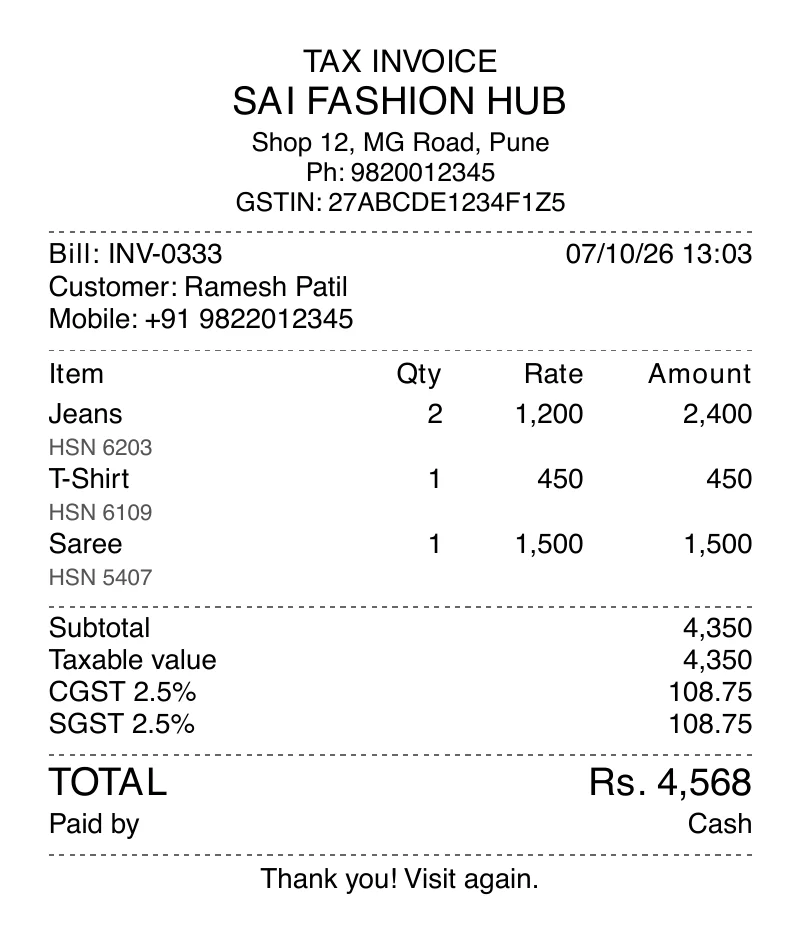
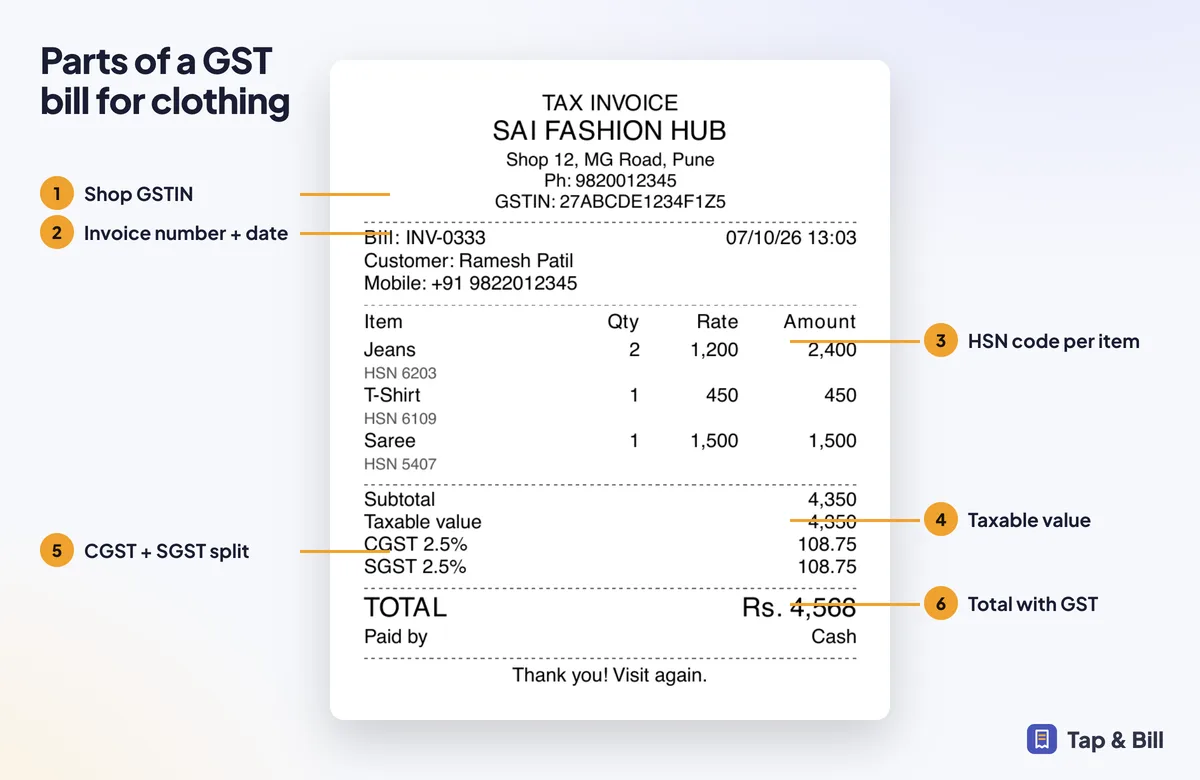
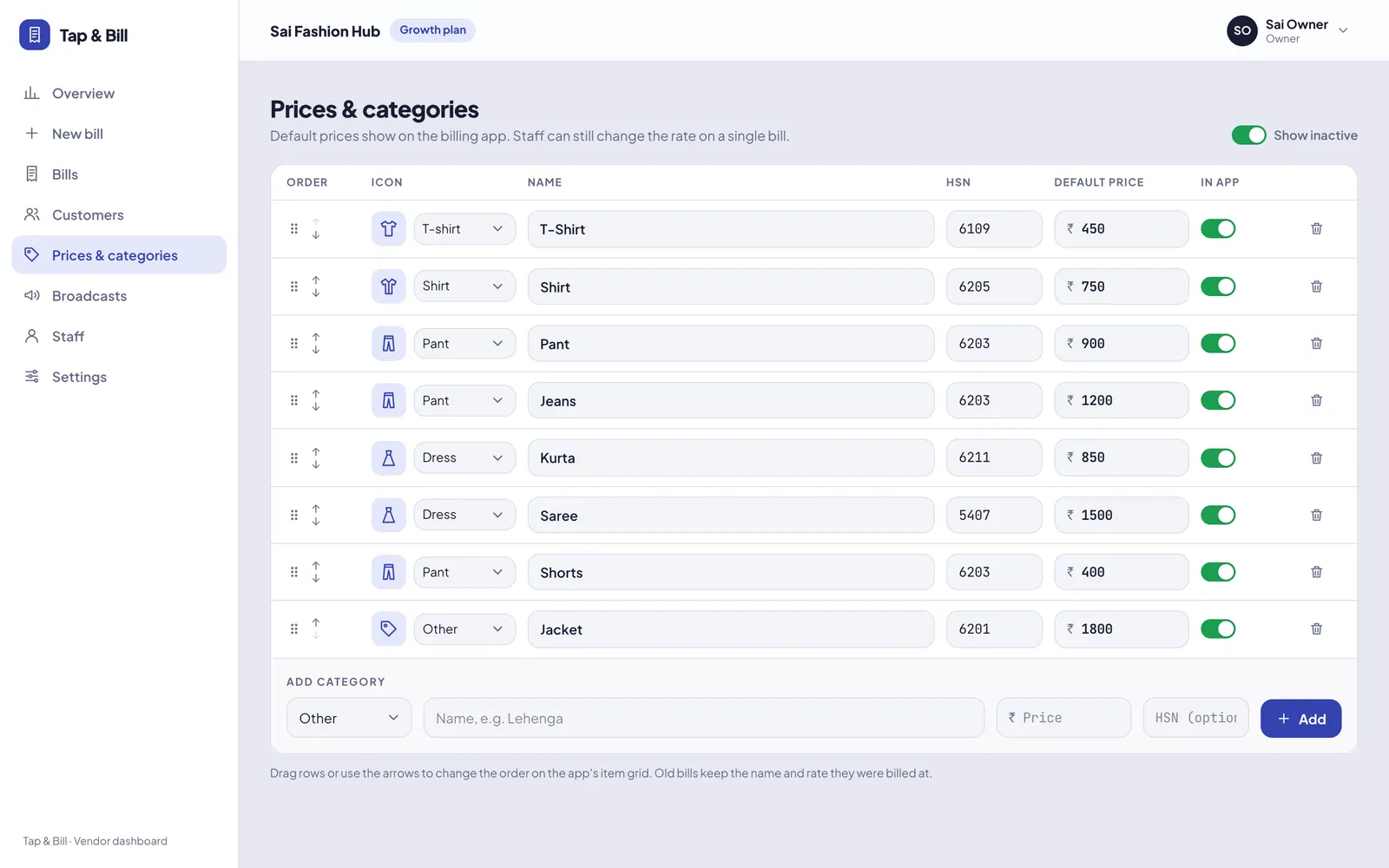
Turn on GST tax invoice in Tap & Bill settings and enter your shop GSTIN. Add an HSN code to each category (for example 6109 for T-shirts). Every bill then shows TAX INVOICE, your GSTIN, HSN per item and the GST split into CGST and SGST. You can also add the customer’s GSTIN for B2B bills.
Garment shops often need both: simple bills for walk-in customers and proper tax invoices when a customer asks. Tap & Bill handles both with one switch per shop.
GST is calculated by the server on every bill, so totals stay correct even if a staff member edits the rate or adds a discount.
What you get
- TAX INVOICE heading with shop GSTIN
- HSN code per category, printed per item
- CGST + SGST split of the GST amount
- Optional customer GSTIN, remembered for next time
- Works on print, PDF and WhatsApp bill
How it works
Add your GSTIN
Enter the shop’s 15-character GSTIN and GST rate in Settings.
Set HSN per category
Add HSN codes such as 6109 (T-shirts) or 6203 (trousers).
Bill as usual
Every bill shows TAX INVOICE, HSN and the CGST + SGST split.
See it in Tap & Bill
GST tax invoice: questions
What GST rate applies to clothes in India?
GST on garments depends on the sale value per piece, and the rates changed in September 2025 (see our GST bill guide). Tap & Bill applies the GST rate set for your shop to each bill; separate rates by price slab within one bill are on our roadmap. Confirm rates and HSN codes with your CA.
Does Tap & Bill support IGST?
Bills split GST into CGST and SGST, which is right for counter sales within your state. Tell us if you need inter-state IGST invoices.
Can I bill without GST?
Yes. If GST tax invoice is off, the shop prints a simple bill with no GST lines.
Make your first bill today
Try every feature free for 14 days. No card, no setup fee.