Feature
Send festival offers on WhatsApp
How can a clothing shop send offers to customers on WhatsApp?
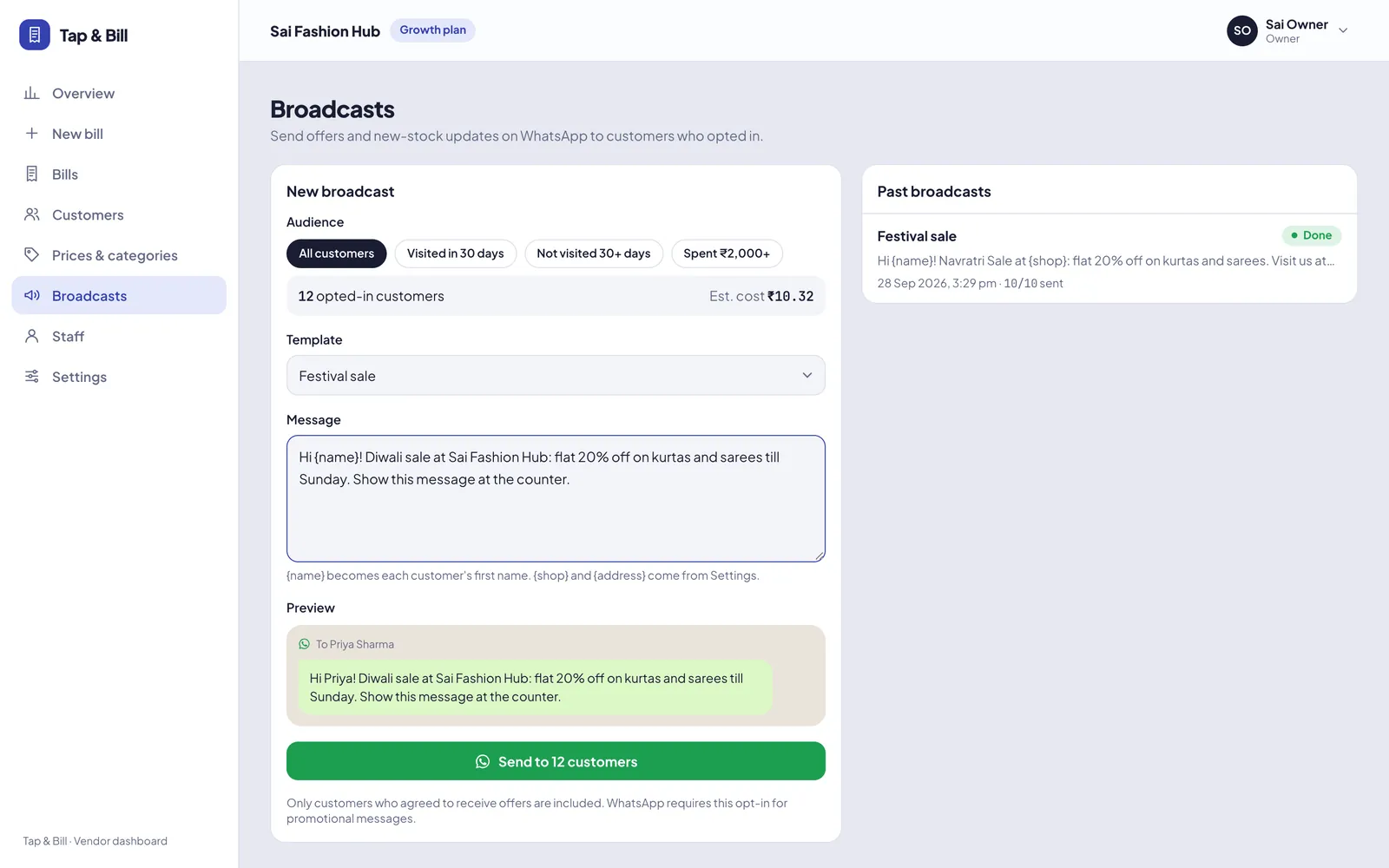
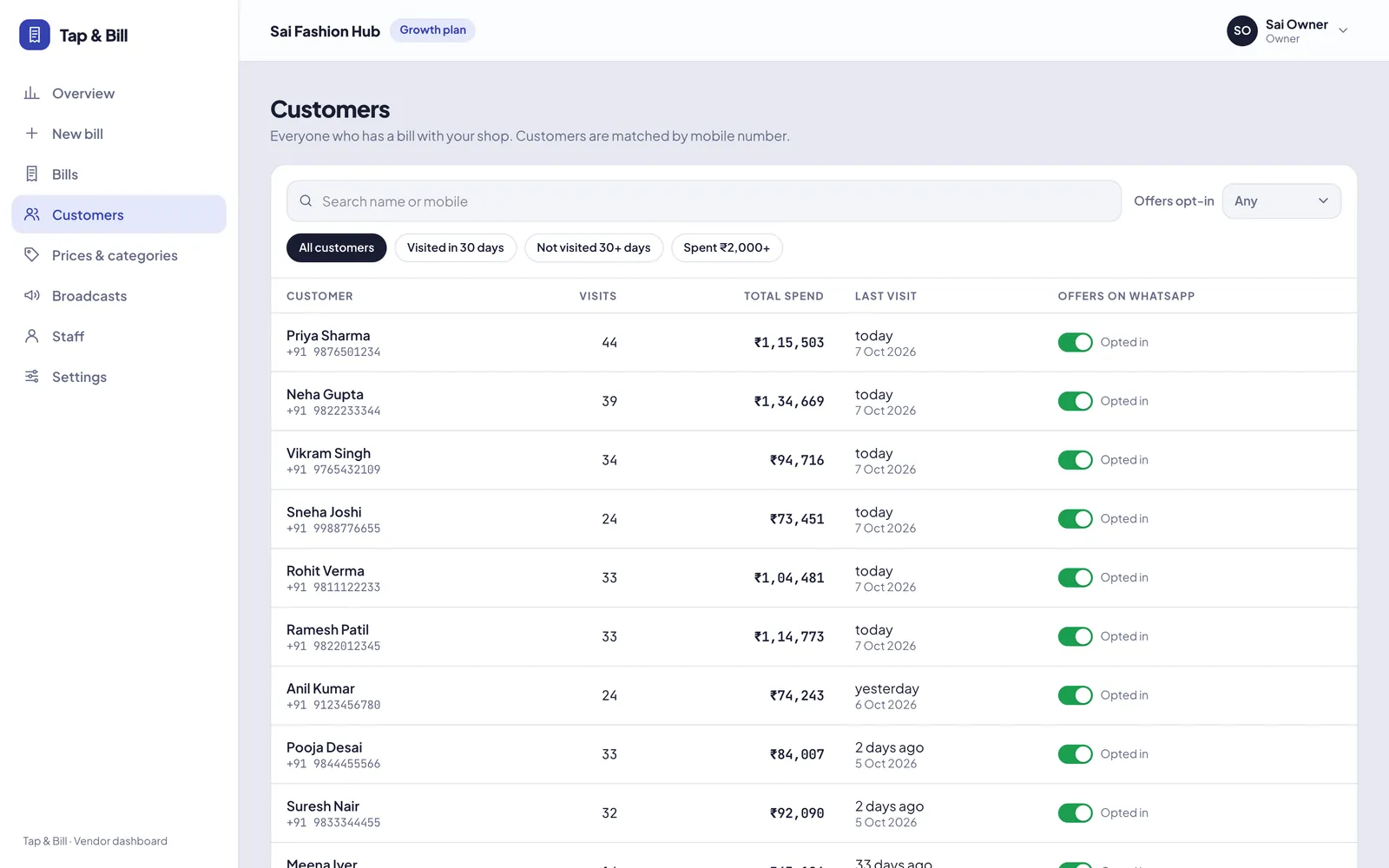
Tap & Bill saves every customer’s mobile number at billing and asks if they want offers. When you run a sale, pick an audience (all, recent, inactive or top spenders), write the message with {name} for a personal touch, check the cost estimate and send. Only customers who opted in receive it. This feature needs the WhatsApp Business API.
Your customer list is your best marketing channel. A message before Diwali, Eid, wedding season or end-of-season sale brings old customers back, at a fraction of the cost of newspaper or social ads.
Tap & Bill builds that list for you at the counter, with consent, so you can message the right customers without spamming.
What you get
- Only customers who opted in at billing
- Audience filters: recent, inactive, top spenders
- Personalised with customer name
- Cost estimate before sending
- Delivery progress and history
How it works
Choose an audience
All opted-in customers, recent buyers, people who have not visited lately, or top spenders.
Write the offer
Use {name} to greet each customer by name. Check the cost estimate.
Send and track
See sent, delivered and read counts as the broadcast goes out.
See it in Tap & Bill
Bulk WhatsApp offers: questions
Which plan includes bulk WhatsApp offers?
Growth and Pro plans. The shop also needs the WhatsApp Business API connected.
How much does a WhatsApp marketing message cost?
Meta charges per marketing message, about ₹0.86 at the time of writing. Tap & Bill shows the estimate before you send.
Is it legal to send offers on WhatsApp?
Only send offers to customers who agreed. Tap & Bill records opt-in at billing and never sends offers to customers who did not opt in.
Make your first bill today
Try every feature free for 14 days. No card, no setup fee.