Feature
Know your sales every day
How can a clothing shop owner check daily sales?
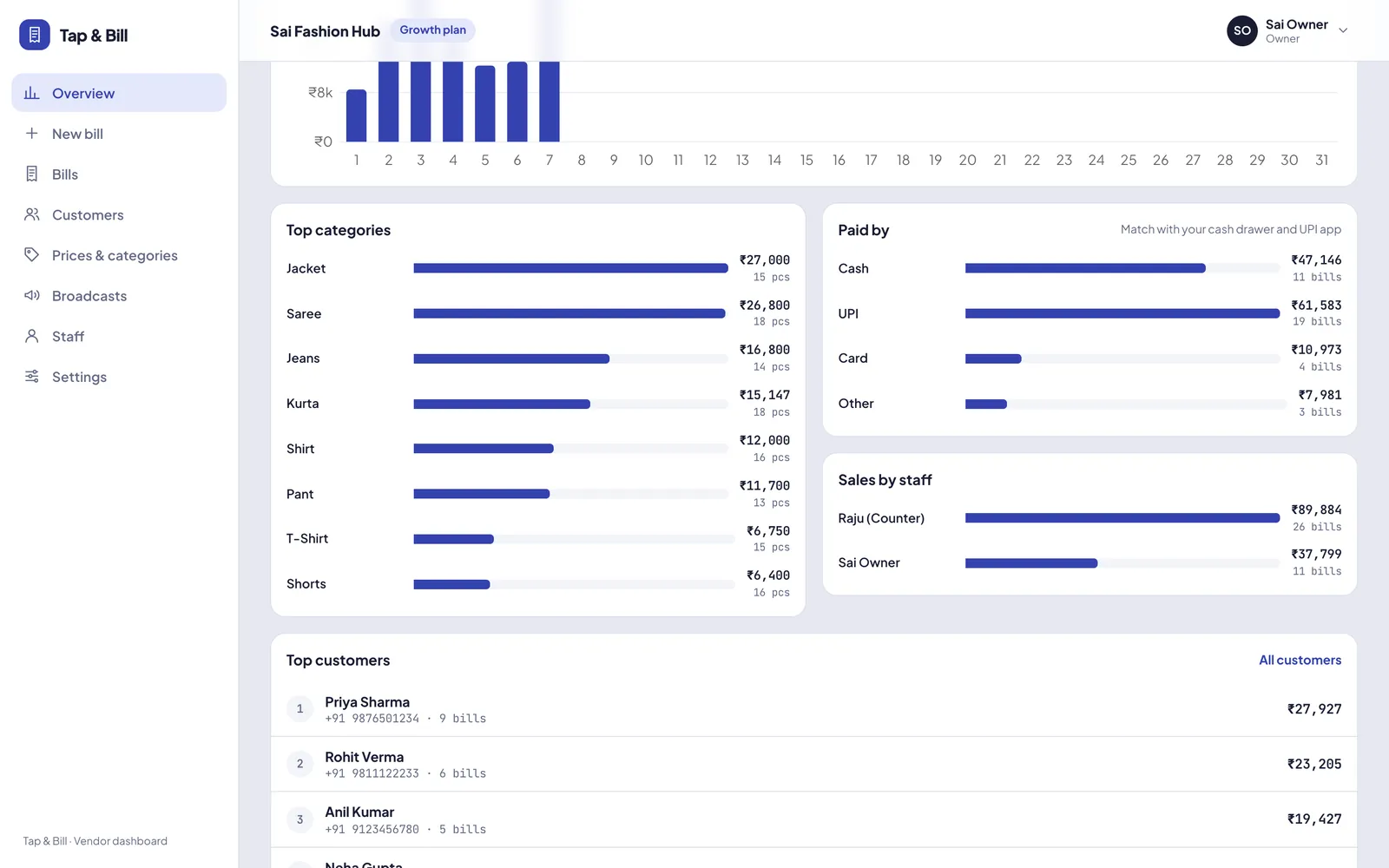
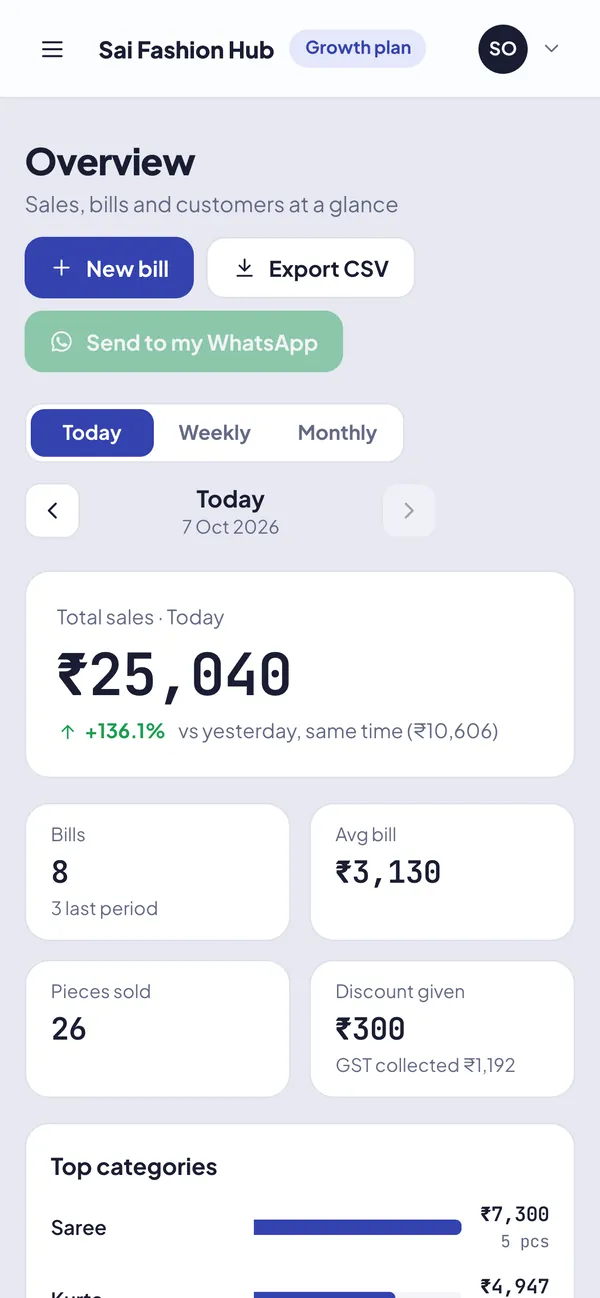
Open Tap & Bill on your phone or computer and see today’s sales, number of bills, average bill value, pieces sold and the change compared with the last period. Switch to week or month to see top categories, top customers, sales by staff and by payment mode (cash, UPI, card), and export to Excel (CSV).
Owners who are not at the counter all day want one simple answer: how much did we sell today, and who sold it? Tap & Bill shows that live, from any phone.
Reports use the same bills your staff make, so there is nothing to enter twice. Cancelled bills are kept with a stamp but left out of sales.
What you get
- Daily sales chart
- Top categories and top customers
- Staff-wise sales
- Cash / UPI / card split
- CSV export for your accountant
- Weekly and monthly PDF report on owner WhatsApp (Business API)
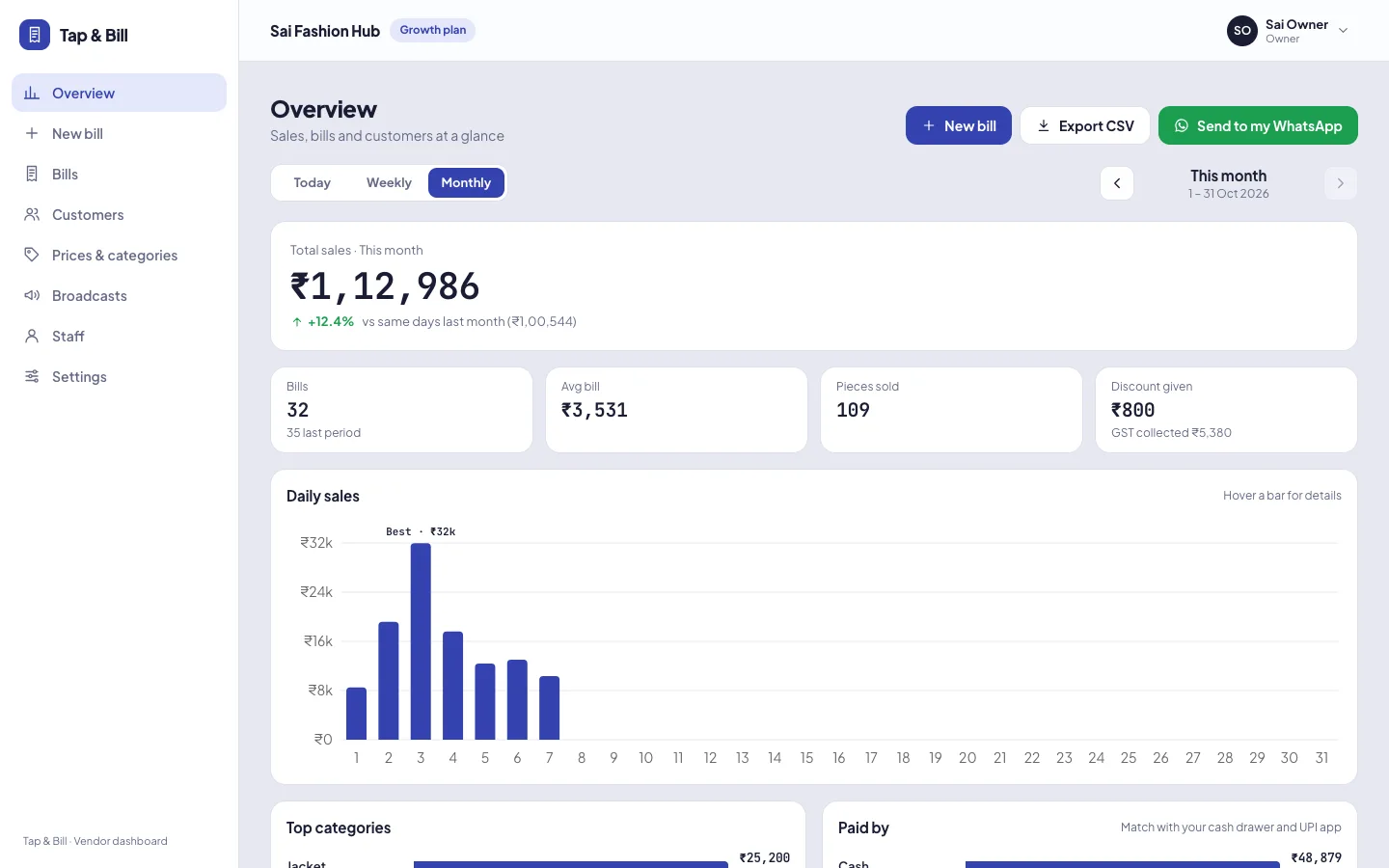
How it works
Pick a period
Today, this week, this month, or any past week and month.
See the numbers
Sales, bills, average bill, pieces and change vs the last period.
Drill in
Top categories, top customers, staff-wise and payment-wise sales.
See it in Tap & Bill
Sales reports: questions
Can staff see sales reports?
No. Reports are for the owner. Staff logins can make bills and see bill history only.
Can I export sales to Excel?
Yes. Export bills as a CSV file that opens in Excel or Google Sheets.
Are cancelled bills counted in sales?
No. A cancelled bill stays in history with a stamp and reason, but is left out of sales and customer spend.
Make your first bill today
Try every feature free for 14 days. No card, no setup fee.