Feature
Bill from the counter computer
Can I use Tap & Bill on a computer?
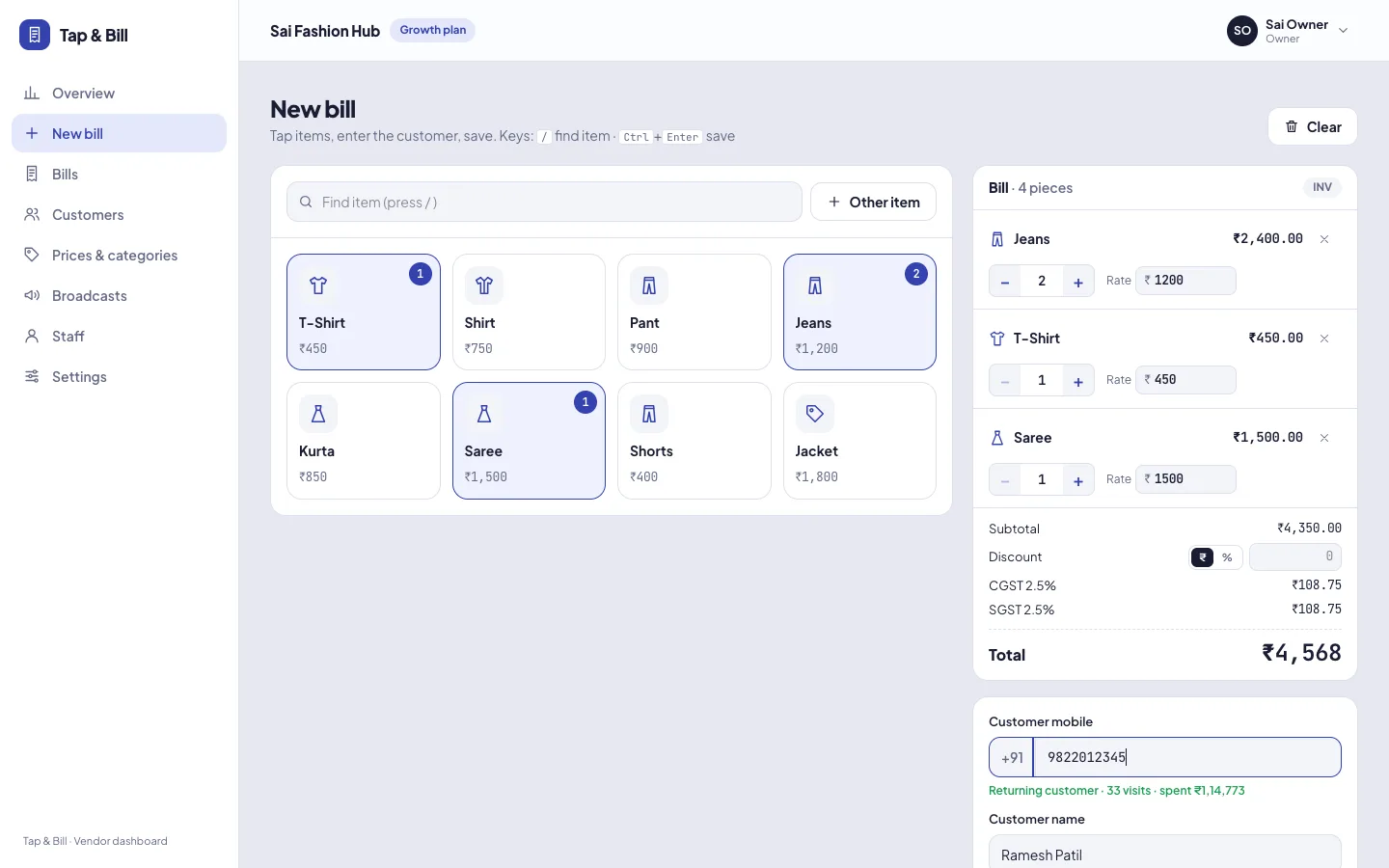
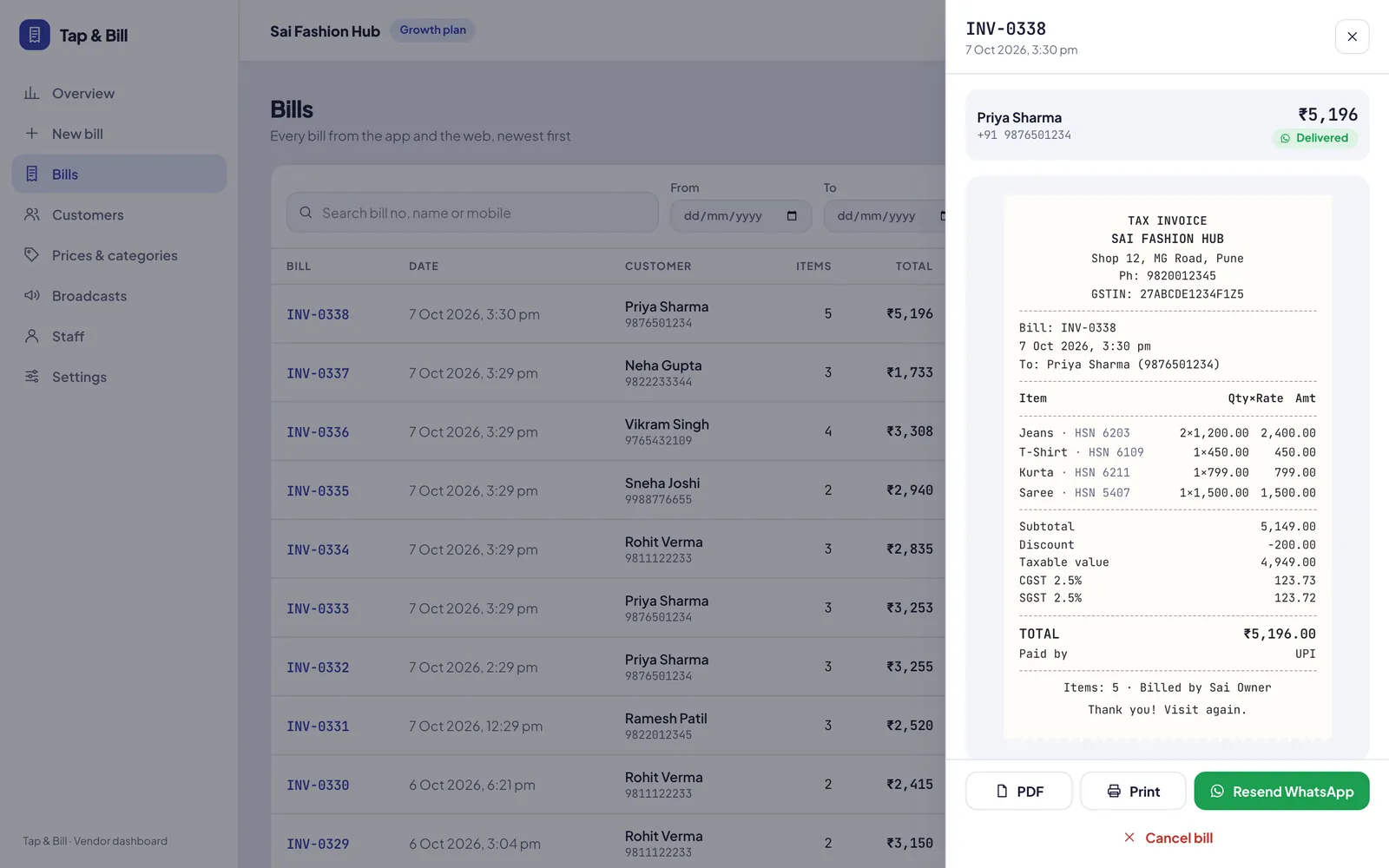
Yes. Log in to Tap & Bill in Chrome or Edge on the counter computer and open New bill. Click categories or press / to search, set quantity and rate, add the customer and press Ctrl + Enter to save. Print on any printer, download the PDF or send it on WhatsApp. Nothing to install.
Many shops have a computer at the main counter and phones for staff on the floor. Tap & Bill works on both with one account, so every bill lands in the same reports.
The computer screen is built for speed: big category tiles, a search box you can reach with one key, and a draft that is kept if the page reloads.
What you get
- Nothing to install
- Keyboard shortcuts
- “Other item” for one-off products
- Discount in ₹ or %
- Customer lookup by mobile
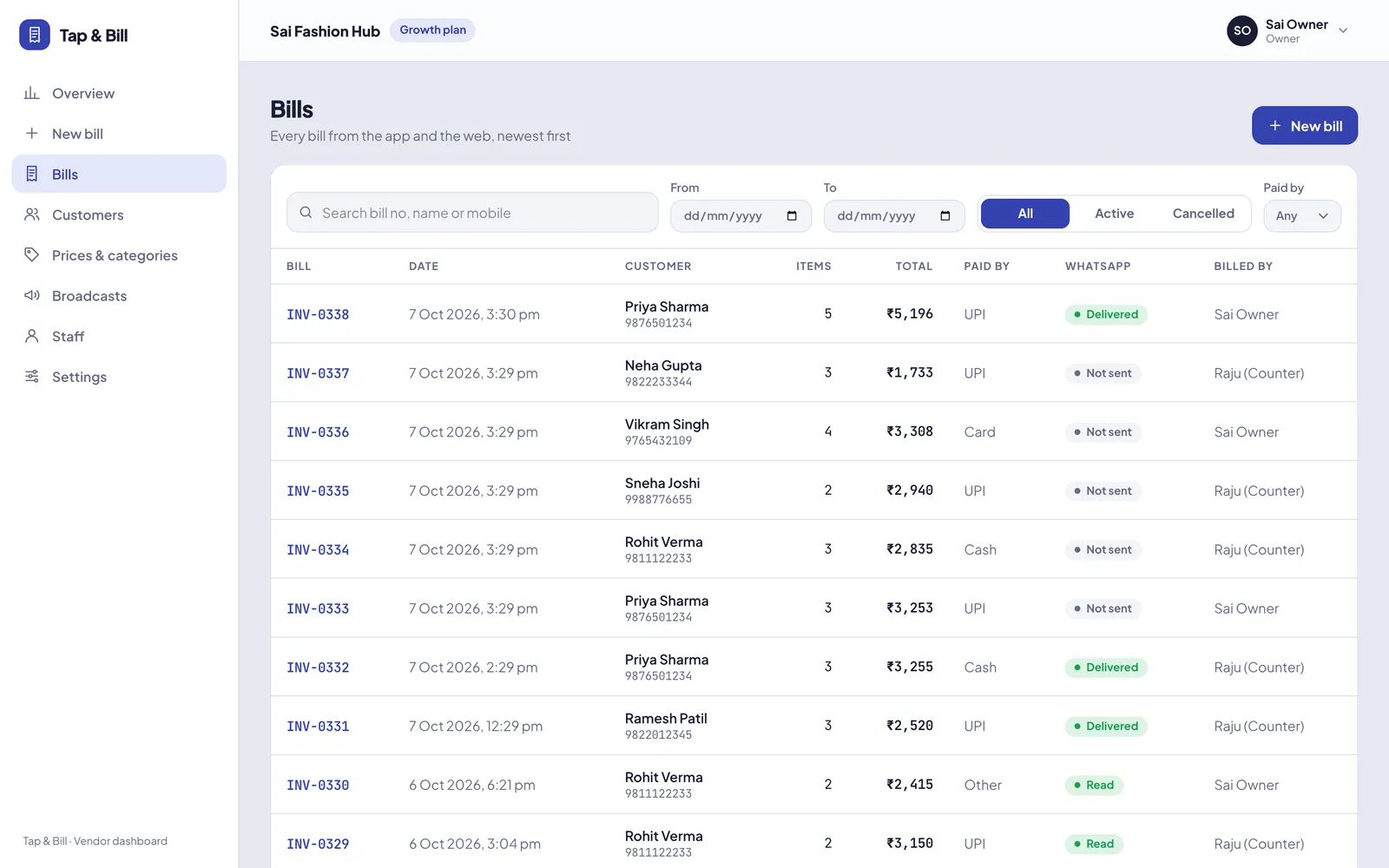
- Same bills and reports as the app
How it works
Open New bill
Log in from any browser. Staff land straight on the billing screen.
Add items fast
Click tiles or press / to search. Click again for more quantity.
Save and print
Ctrl + Enter saves. Print the receipt, download PDF or WhatsApp.
See it in Tap & Bill
Billing on computer: questions
Do I need a Windows license or special computer?
No. Any computer with a modern browser (Chrome, Edge) works, Windows or Mac.
Can staff use the computer and phones at the same time?
Yes. All counters bill into the same account at once; reports combine them.
Make your first bill today
Try every feature free for 14 days. No card, no setup fee.