Feature
Udhaar billing: credit bills with reminders
How do I keep udhaar with the bill?
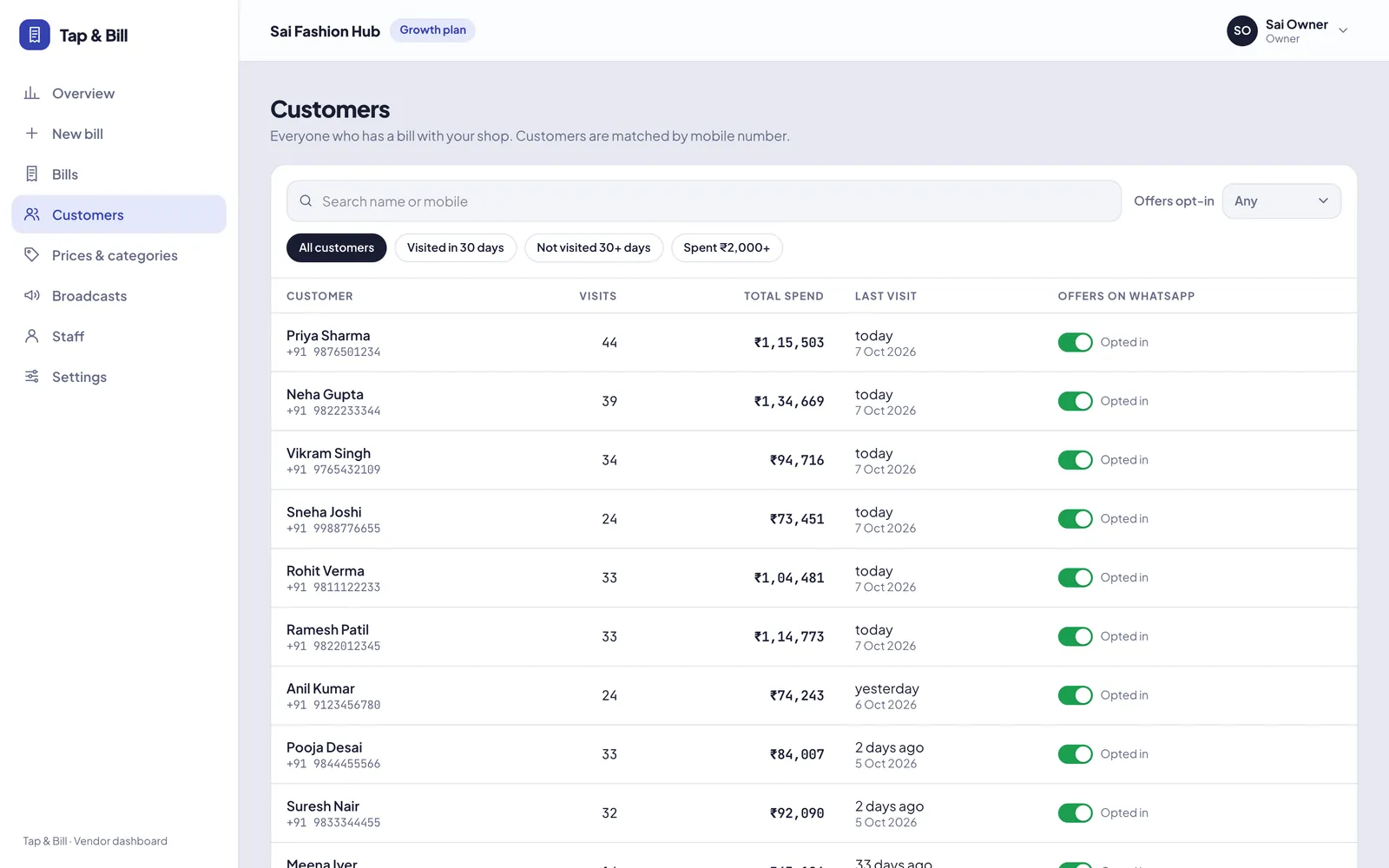
In Tap & Bill, pick Udhaar as the payment mode, for the whole bill or as one part of a split, and the amount goes on that customer’s account. The customer list shows everyone with udhaar due. Tap Collect when they pay (part or full, by cash, UPI or card) or Remind to send a WhatsApp message from your phone with the amount and your UPI ID. Udhaar needs the customer’s name and mobile number.
Regular customers, office tea accounts and wedding families often pay later. A notebook khata works until someone asks “which bill was this for?” In Tap & Bill the udhaar sits on the actual bill, with items, date and staff, so there is nothing to argue about.
Be clear on what it is: udhaar on bills, not a full ledger app like Khatabook. You can’t add a loan or a supplier entry without a bill. If you mainly need a ledger for money given and taken, a khata app fits better; if your udhaar comes from sales at the counter, keeping it on the bill saves writing it twice.
What you get
- Udhaar for a whole bill or as part of a split payment
- “Udhaar due” filter on the customer list
- Collect part or full payment: cash, UPI or card
- WhatsApp reminder from your own phone with the amount and UPI ID
- Account history per customer: bills, payments, returns
- Bill PDF QR asks for the amount still due
- Reports: udhaar given, collected and still to collect
- Cancelling a bill reverses its udhaar
How it works
Bill on udhaar
Choose Udhaar for the whole bill, or split it (₹1,000 cash + ₹800 udhaar).
See who owes
Customers → “Udhaar due” lists every customer with a balance.
Remind on WhatsApp
Tap Remind: WhatsApp opens on your phone with the amount and your UPI ID.
Collect
Record part or full payment in cash, UPI or card. The balance updates.
Example: a ₹1,800 bill with ₹800 udhaar
| Date | What happened | Udhaar due |
|---|---|---|
| 5 Oct | Bill ₹1,800: ₹1,000 cash + ₹800 udhaar | ₹800 |
| 12 Oct | Reminder sent on WhatsApp; customer pays ₹500 by UPI | ₹300 |
| 20 Oct | Customer pays ₹300 cash at the counter | ₹0 |
The reminder reads like this (your shop name and UPI ID filled in):
Namaste Ramesh 🙏 A balance of ₹800 is pending at Sai Fashion Hub. You can pay by UPI to saifashion@upi. Thank you!
It goes from your own WhatsApp, so it costs nothing. The app also has the reminder in Hindi and Gujarati.
Udhaar on bills vs a khata (ledger) app
| Tap & Bill udhaar | Khata / ledger app | |
|---|---|---|
| Where udhaar comes from | The bill itself, with items | Entries you type |
| Printed and WhatsApp bill | Yes, same step | Separate step or a separate app |
| Entries without a bill (loans, suppliers) | No | Yes |
| Udhaar in sales reports | Given, collected, to collect | Depends on the app |
| Best for | Shops whose udhaar comes from counter sales | Anyone who mainly keeps a ledger |
Rules that keep it clean
- Udhaar needs the customer’s name and mobile number, so it is not available on walk-in bills.
- A return can go to the customer’s account and reduce what they owe.
- Cancelling a bill reverses its udhaar, and the cancelled bill stays in history with a reason.
- Owners see udhaar given, collected and still to collect in reports.
Your customer list
Udhaar (pay later): questions
Is Tap & Bill a khata app like Khatabook?
No. Tap & Bill keeps udhaar that comes from bills: each rupee due is linked to a bill. It does not keep a general ledger for loans or suppliers. If that is your main need, use a khata app.
Can I give udhaar to a walk-in customer?
No. Udhaar needs the customer’s name and mobile number so you can find and remind them. Turn off walk-in on that bill and add the customer.
Does the reminder go automatically?
No. Tap Remind and WhatsApp opens on your phone with the message ready; you press send. It is free because it goes from your own WhatsApp.
Can the customer pay part of the udhaar?
Yes. Collect any amount in cash, UPI or card. The balance and the account history update straight away.
Where do I see the total udhaar to collect?
In reports: udhaar given in the period, udhaar collected, and the total still to collect from all customers. The customer list filter “Udhaar due” shows who owes what.
What if I cancel a bill that was on udhaar?
The udhaar on that bill is reversed, so the customer no longer owes it. The cancelled bill stays in history with its reason.
See udhaar on your own bills
We call you within one working day and show Tap & Bill on your own items and prices.
- 10-minute demo on phone or video call
- 14-day free trial, no card
- We set up your categories and prices with you
Prefer to talk now? Call +91 73838 34343 or WhatsApp us.
Make your first bill today
Try every feature free for 14 days. No card, no setup fee.