Feature
Cloud billing for your shop: safe, anywhere, on every device
What does cloud billing mean for my shop?
Cloud billing means your bills are saved on an online server, not only inside one phone or computer. In Tap & Bill the Android app and the computer browser use the same shop account, so every bill made by the owner or staff lands in one place. A lost or broken phone does not take your bills with it, you can check today’s sales from home, and the app keeps billing without internet and uploads later.
Many shops still bill in a program on one counter computer, or in an app that keeps everything on one phone. If that computer crashes or the phone is lost, months of bills, customers and udhaar go with it, and the owner can only know the day’s sales by calling the shop.
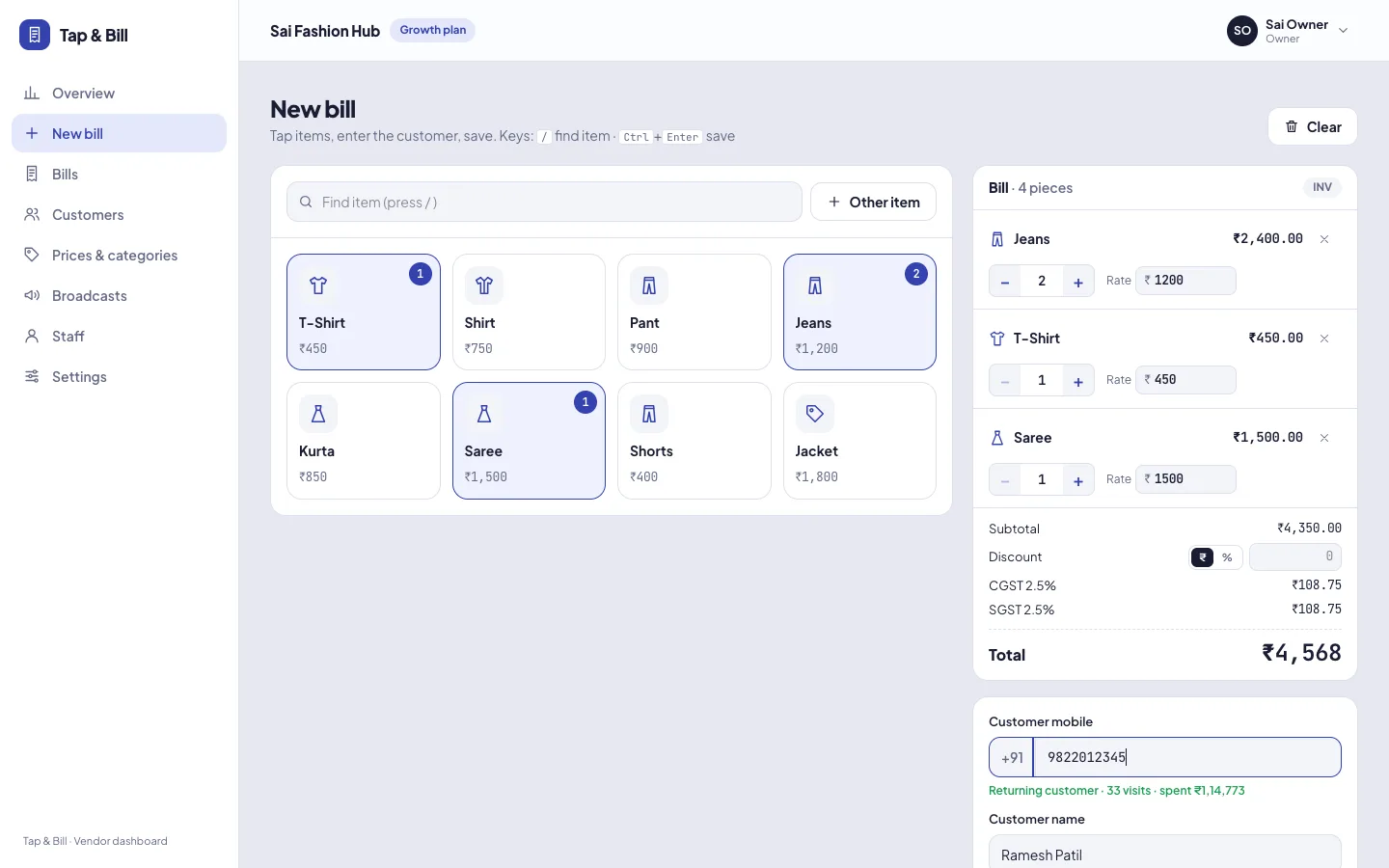
Tap & Bill saves each bill to your shop account as soon as it is made. Log in on a new phone or any computer browser and everything is there: bills, customers, udhaar, alterations and reports. There is nothing to install on the computer and no files to copy between devices.
What you get
- Bills saved online in your shop account, not only on one phone
- Android app and computer browser share the same bills, customers and prices
- Owner and staff on their own phones: 2 staff logins on Starter, 5 staff logins on Growth, 20 staff logins on Pro
- See today’s sales, payment split and udhaar due from home or while travelling
- New or replaced phone: log in and your bills, customers and settings are there
- Staff phone lost? Turn off that login or change its password and it is signed out
- Android app keeps billing offline and uploads when the internet is back
- Download bills and the GST report as Excel (CSV) files any time
How it works
Bill on any device
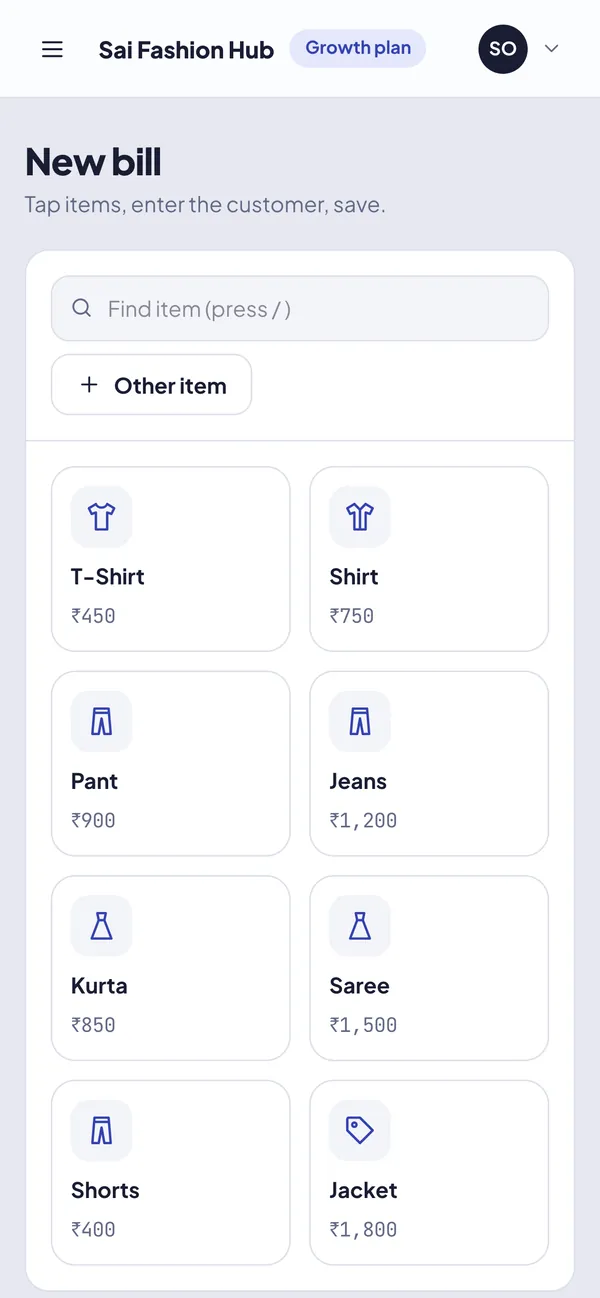
Staff bill on their own phones or on the counter computer. Every bill goes into your one shop account.
It syncs by itself
Online, the bill uploads at once. Offline, the Android app keeps it on the phone and uploads it when the internet is back.
Check from anywhere
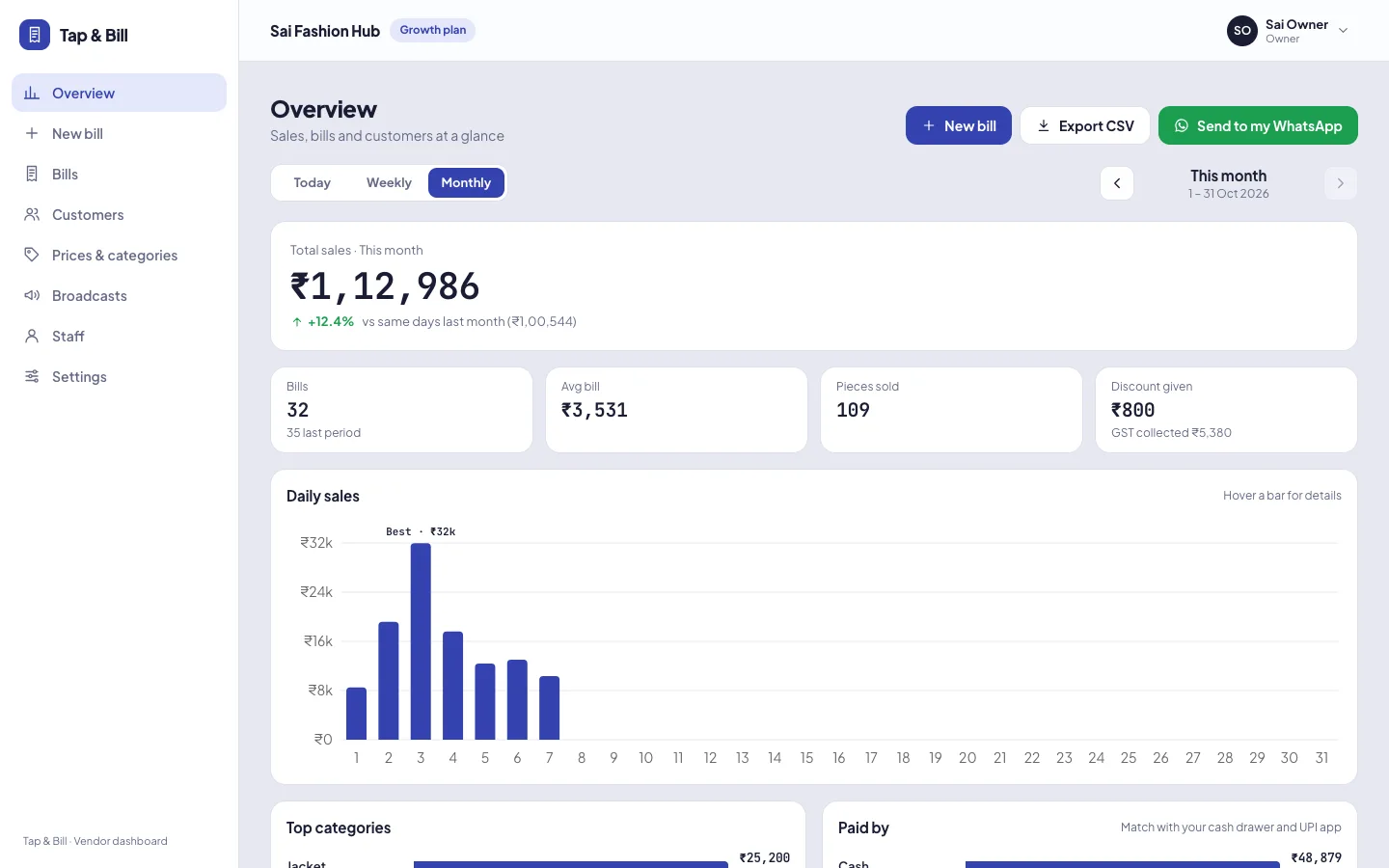
Log in on any phone or computer to see today’s sales, bills, udhaar due and alterations.
Cloud billing vs billing kept on one device
| Billing kept on one computer or phone | Tap & Bill cloud billing | |
|---|---|---|
| Phone lost, stolen or broken | Bills and customers on it are gone | Log in on another phone; the bills are on the server |
| Owner away from the shop | Call the shop and ask for the total | Today’s sales live on the owner’s phone |
| Two counters or staff phones | Each device has its own bills; add them up by hand | One account, one set of reports, staff-wise sales |
| New counter computer | Install software, copy the data across | Open the browser and log in |
| Internet goes down | Desktop software keeps working; online-only apps stop | The Android app keeps billing and syncs later |
Example: one shop, three devices, one day
A clothing shop with a counter computer, one staff phone on the floor and the owner at home:
| Time | Device | What happens |
|---|---|---|
| 11:00 | Counter computer | Saree ₹2,450 paid by UPI; bill printed |
| 11:05 | Staff phone | Two kurtas ₹1,598 in cash; bill sent on WhatsApp |
| 13:30 | Staff phone, no network | Jeans ₹899 in cash; bill saved on the phone and printed |
| 13:45 | Staff phone, network back | The ₹899 bill uploads by itself |
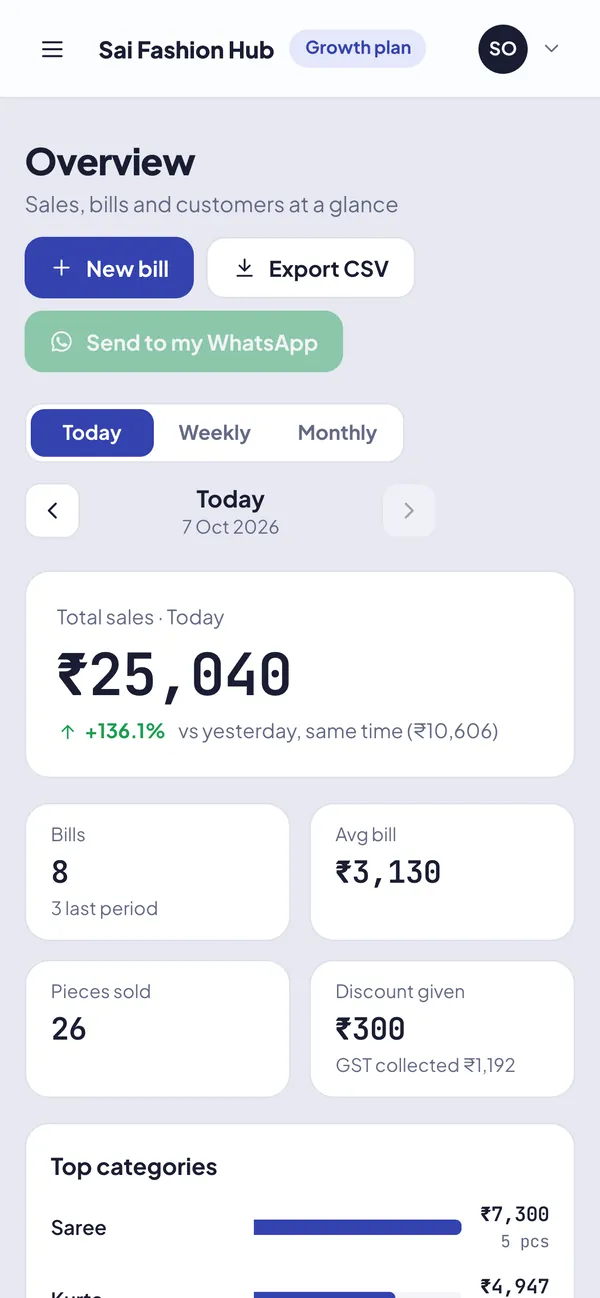
| 21:00 | Owner’s phone at home | Today: 3 bills, ₹4,947 (UPI ₹2,450, cash ₹2,497) |
Nobody sends the owner a photo of the bill book or counts slips at night. The cash total matches the drawer because every bill is in one account.
Good to know
- Bills made offline stay on that phone until it gets internet. If a phone is lost before it syncs, those bills go with it, so let pending bills upload before you close.
- The computer (web) version needs internet. Keep the Android app as the backup counter if your connection is unreliable.
- Each shop’s data is kept separate and is visible only to that shop’s logins. The app and browser talk to the server over a secure HTTPS connection.
- Staff can make bills and see bill history. Sales reports and staff logins are for the owner.
- No bill is ever deleted: a cancelled bill stays in history with a stamp and reason.
One account on every device
Cloud billing: questions
Is Tap & Bill cloud based?
Yes. Tap & Bill is a cloud billing app: bills are saved on our online servers, not only on the phone. The Android app and the computer browser share one shop account, so owner and staff see the same bills anywhere, and a lost phone does not lose them. The app also bills offline and syncs later.
What happens to my bills if my phone is lost or broken?
Bills that reached the server are safe. Log in on another phone or a computer and they are all there. Bills made offline that had not uploaded yet stay only on the old phone. If it was a staff phone, the owner can turn off that login or change its password.
Can I see my shop’s sales from home?
Yes. Open the Tap & Bill app or log in from any computer browser with the owner login to see today’s sales, cash / UPI / card / udhaar split and every bill, updated as your staff bill.
Does cloud billing need internet all the time?
No. The Android app makes and prints bills without internet and uploads them when you are back online. The computer (web) version needs internet, and sending a bill on WhatsApp needs internet too.
Can I use Tap & Bill on several phones and a computer at the same time?
Yes. The owner and each staff member log in on their own phone, and the counter computer uses the same account. Plans include 2 (Starter), 5 (Growth), 20 (Pro) staff logins.
Can I take my data out?
Yes. The owner can download bills as a CSV file that opens in Excel or Google Sheets, and the GST report for your CA, any time.
See cloud billing on your own phone and computer
We call you within one working day and show Tap & Bill on your own items and prices.
- 10-minute demo on phone or video call
- 14-day free trial, no card
- We set up your categories and prices with you
Prefer to talk now? Call +91 73838 34343 or WhatsApp us.
Put your shop’s bills on the cloud
Phone, computer and staff in one account. 14-day free trial, no card.