Feature
Hold bill: park a bill and serve the next customer
Can I hold a bill and make the next customer’s bill?
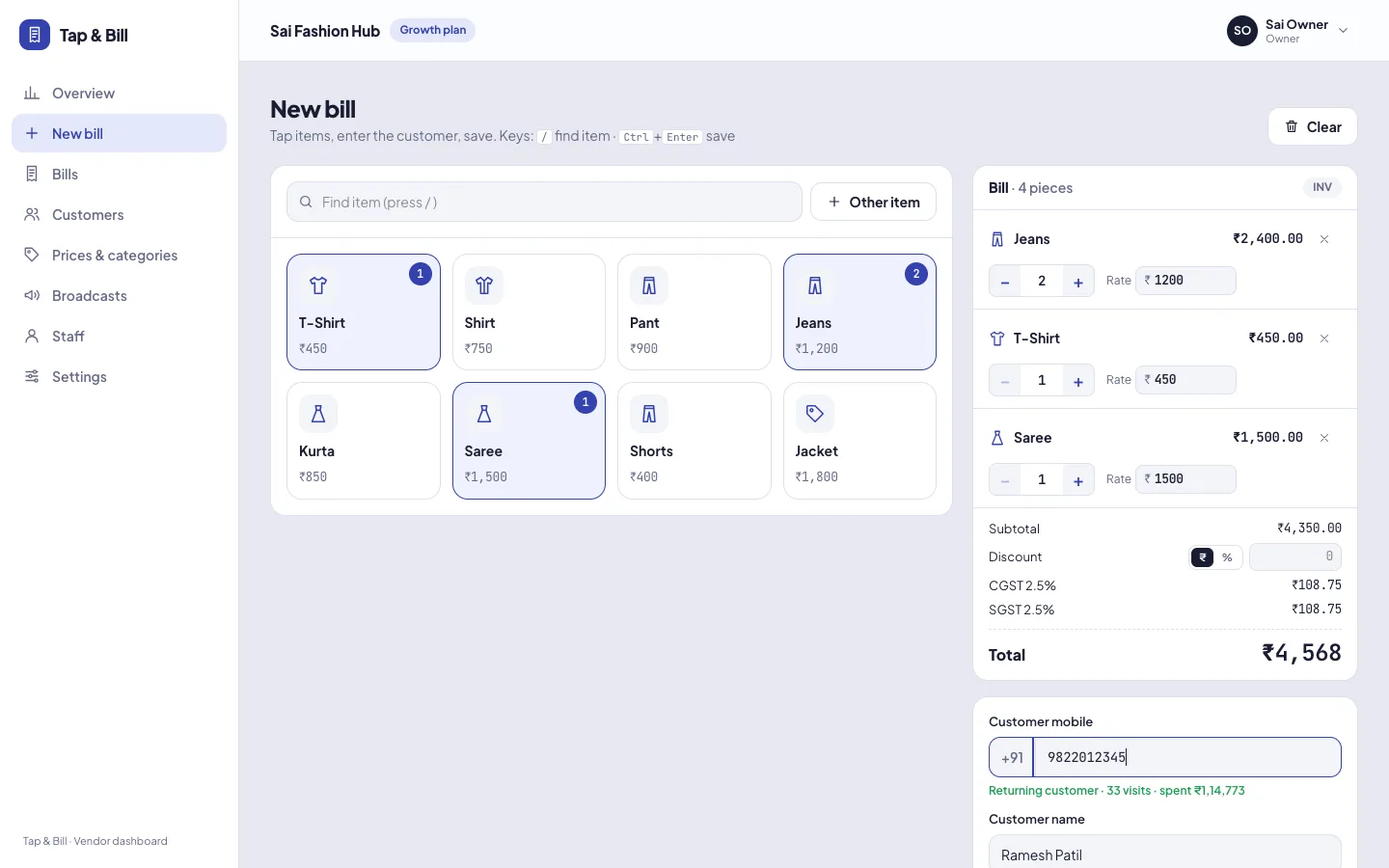
Yes. In Tap & Bill tap Hold on a bill that is not finished (the customer is in the trial room or fetching money), bill the next customer, and open the held bill from the On hold row when she is back, with every item, size, discount, customer and salesman as you left it. Up to 10 bills can wait on one phone or computer, for a day. Every plan, from ₹199 a month; nothing to switch on.
At a clothing counter the queue rarely moves in order. One customer goes to try a size, another is ready with UPI, a third wants just a pair of socks. Without hold, staff either make the queue wait or start a second bill on paper.
Hold works like a parked trolley: the bill keeps its items, sizes, rate changes, discount, customer and salesman, and the counter is free for the next person. Held bills are not saved bills: they have no number, don’t print and don’t count in sales until you open and save them.
What you get
- Hold button on the bill screen of the Android app and the computer, as soon as the bill has an item
- Up to 10 bills on hold on each phone or computer
- Each held bill shows the customer’s name, or pieces, amount and time
- Keeps items, quantity, size and colour, rate changes, discount, customer and salesman
- Opening a held bill puts the one you were making on hold in its place: nothing is lost
- × removes a held bill you don’t need; held bills are cleared after a day
- Every plan; works offline on the Android app
How it works
Start the bill
Tap the items the customer has picked (Kurti × 2, Jeans), add her number if you like.
Tap Hold
She goes to the trial room or to fetch another size. Tap Hold: the bill waits in the On hold row and the screen is clear.
Bill the next customer
Make and save the next bill as usual: print, UPI QR, WhatsApp.
Open the held bill
When she is back, tap her bill in On hold, change a size or add a piece, and save. If you were in the middle of another bill, that one goes on hold in its place.
A Saturday at the counter
| Time | At the counter | On hold |
|---|---|---|
| 6:05 | Priya picks 2 kurtis (M) and leggings, then goes to try an L. Staff tap Hold. | Priya · ₹1,497 |
| 6:06 | Ramesh pays ₹899 for a shirt by UPI; bill saved and printed. | Priya · ₹1,497 |
| 6:08 | A walk-in starts a bill for socks, then remembers a belt. Priya is back: staff open her bill; the socks bill goes on hold. | 3 pcs · ₹177 · 6:08 |
| 6:09 | Priya’s kurti changed to L, saved, sent on WhatsApp. Staff open the socks bill and save it. | — |
No one waited more than a minute, and no bill was started twice.
Hold, cancel or quotation?
| Use | When | What happens |
|---|---|---|
| Hold | The customer is still in the shop and will finish soon | Bill waits on this phone or computer, no number, not in sales |
| Cancel | A bill was saved by mistake | The saved bill stays in history marked cancelled, with a reason (staff: own bills within 15 minutes) |
| Quotation | The customer will decide another day, or wants a price for the family | A numbered quotation (QT-0001) as a PDF; Make bill turns it into the bill |
Limits
- A held bill stays on the phone or computer where it was held: the owner’s phone does not see the counter computer’s held bills.
- Up to 10 at a time; held bills are cleared after a day, so finish or remove them before closing.
- A held bill is not a saved bill: it has no bill number, doesn’t print and doesn’t count in sales or the galla.
- Hold is not used while you are editing a saved bill.
Hold is part of every plan (Basic, Starter, Growth, Pro). Related: billing on a computer, salesman on each bill.
Hold bill: questions
What is a hold bill in billing software?
A bill you park before saving so the counter can bill the next customer; you open it again later. In Tap & Bill it keeps the items, sizes, rates, discount, customer and salesman.
How many bills can I keep on hold?
Up to 10 on each phone or computer. Held bills older than a day are cleared.
Does a held bill count in today’s sales?
No. It has no number and is not in sales, reports or the galla until you open it and save it.
Can I see a bill held on the counter computer from my phone?
No. A held bill stays on the device where it was held. Saved bills are shared across all phones and computers on the shop account.
What happens if I open a held bill while making another one?
The bill you were making goes on hold in its place, so nothing is lost.
Does hold work without internet?
On the Android app, yes: holding and opening a bill happens on the phone. Saving follows the usual offline rule (saved on the phone, synced later). The computer needs internet to save.
Is hold bill in every plan?
Yes, on every plan including Basic (₹199 a month), and in the 14-day free trial.
See hold bill on a free demo
We call you within one working day and show Tap & Bill on your own items and prices.
- 10-minute demo on phone or video call
- 14-day free trial, no card
- We set up your categories and prices with you
Prefer to talk now? Call +91 73838 34343.
Keep the queue moving
Hold a bill, serve the next customer. 14-day free trial, no card.